Birthday Cupcake Sketch & Color Palette for Procreate
Unleash Your Inner Artist with a Structured Practice Routine
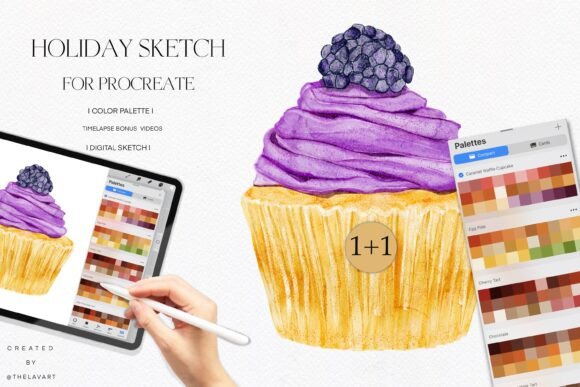
There is a specific kind of creative block that happens when you sit down to draw but feel overwhelmed by the blank canvas. You want to practice your shading, your color theory, or your line work, but the pressure of coming up with a concept from scratch stops you before you even pick up the stylus. This is exactly where the Birthday Cupcake Sketch & Color Palette steps in to change your workflow. It isn’t just a collection of lines; it is a carefully curated design asset that bridges the gap between technical practice and creative enjoyment.
The visual appeal of this set is rooted in its whimsical, celebratory nature. The sketch itself features the classic silhouette of a frosted cupcake, offering a delightful subject that allows for a wide range of interpretation. Whether you prefer a hyper-realistic rendering or a flat, vector-style illustration, the transparent PNG serves as a versatile foundation. The "Yummy" aesthetic isn't just about food; it evokes a sense of warmth and nostalgia. For an artist, this provides a comforting anchor. You aren't just drawing; you are capturing a moment of celebration. This psychological shift makes the practice session feel less like work and more like play, which is essential for long-term skill retention.
Practical Applications for Modern Creators
While this toolkit is marketed for practice, its utility extends far beyond the sketchbook. For the graphic designer or brand strategist, the line art of the Birthday Cupcake Sketch can be an invaluable asset for specific client needs. Consider the packaging design for a local bakery or a party supply store. Instead of using generic stock photography, you can use this sketch as a base to create custom, hand-drawn elements that give the brand a bespoke, artisanal feel. The transparent background makes it easy to isolate the image and layer it over textures or patterns without the hassle of masking.
For marketers and content creators, speed is often of the essence. When you need to produce social media graphics for a flash sale or a "Happy Birthday" post for a follower, having a pre-drawn sketch allows you to generate high-quality content in minutes. You can import the sketch into Procreate, apply the included color palette, and have a finished post ready for Instagram or Pinterest before your coffee gets cold. This is particularly useful for entrepreneurs running one-person operations who need to maintain a consistent visual feed without hiring a full-time illustrator.
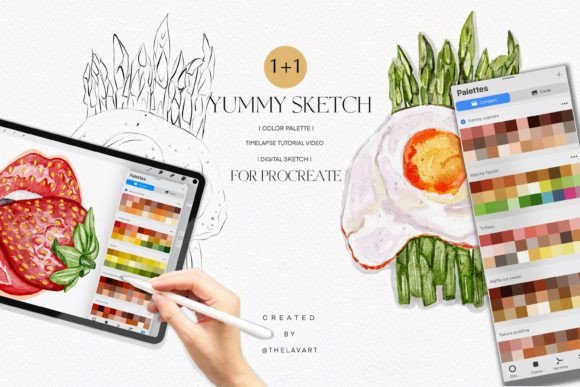
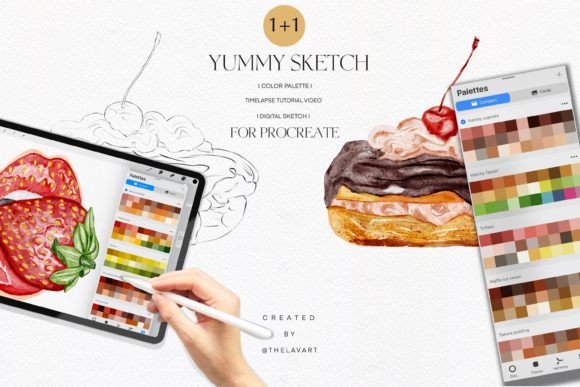
Furthermore, the Yummy Sketch & Color Palette is an excellent resource for editorial design. If you are a blogger writing about party planning, DIY crafts, or dessert recipes, custom illustrations add a layer of professionalism that stock images cannot match. By using the provided sketch and palette, you ensure that the artwork matches the exact tone of your article. The color palette is specifically designed to complement the subject matter, ensuring that your pinks, creams, and browns are harmonious, taking the guesswork out of color theory for non-designers.
Mastering Color Theory and Digital Techniques
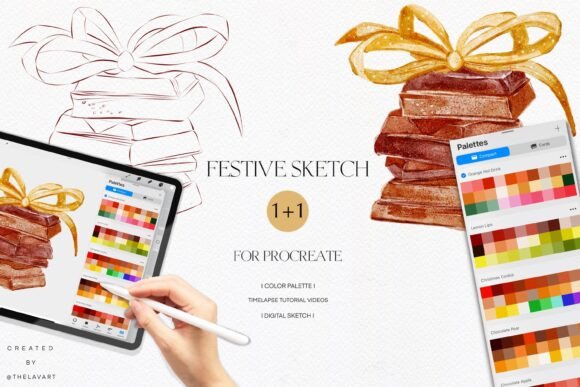
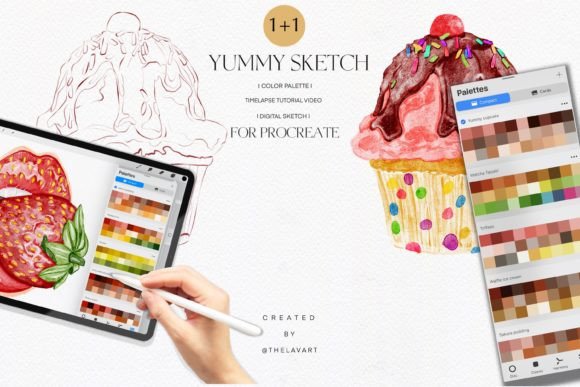
One of the most challenging aspects of digital art is color selection. Beginners often struggle with choosing hues that work well together, leading to muddy or jarring illustrations. The inclusion of a .swatches file specifically for Procreate is a significant advantage here. This isn't just a random assortment of colors; it is a curated color palette designed to ensure light, shadow, and highlight work in unison.
When you practice with the Birthday Cupcake Sketch & Color Palette, you are essentially training your eye to recognize color relationships. You learn how a specific shade of pink interacts with a warm vanilla cream or a rich chocolate brown. This knowledge is transferable. Once you understand these relationships through the lens of a cupcake, you can apply them to skin tones, landscapes, or product design. The palette acts as a set of guardrails, allowing you to focus on blending modes and brush textures without worrying if your base colors are clashing.
The accompanying time-lapse video tutorials are a critical component of the learning experience. Watching a professional artist render the same sketch you are working on provides invaluable insight into process. You can observe how they handle the "Yummy" frosting texture—do they use a soft airbrush for the cream or a textured brush for the sponge? These tutorials bridge the gap between theory and application, showing you exactly how to utilize the design assets to their fullest potential. It transforms the product from a static image into an interactive lesson in modern typography and illustration techniques.
Integrating Assets into Professional Branding
For small business owners, visual consistency is the bedrock of a strong brand identity. If you sell baked goods, confectionery, or party supplies, your visual language needs to communicate quality and fun. Using the Birthday Cupcake Sketch as a recurring motif across your web design, email newsletters, and physical packaging creates a cohesive brand experience.
Imagine using the line art as a watermark on your invoices or a background element on your "About Us" page. Because the asset is digital and high-resolution, it scales well across different mediums. You can use it for large-format printing on banners or small details on business cards. The versatility of the PNG format ensures that the creative font and illustration style remain crisp regardless of the application.
Moreover, for those in the digital and print space, such as publishers of planners or recipe books, this sketch offers a way to add custom flair without commissioning expensive custom artwork. You can print the sketch in black and white for a coloring book effect, or in full color using the provided palette for a vibrant sticker sheet. The possibilities are vast, ranging from personal stationery to commercial merchandise, provided the licensing allows for it.
Getting the Most Out of Your Toolkit
To truly leverage the Birthday Cupcake Sketch & Color Palette, it is helpful to approach it with a strategy. Do not just color the cupcake once and close the app. Use it as a stress-test for your brushes. Try rendering the frosting using a charcoal brush, a wet acrylic brush, and a smooth airbrush. See how the color palette reacts to different textures. This experimentation is where the real learning happens.
Additionally, consider the context of font pairing and layout. While this is primarily an illustration asset, it interacts with text in a design. If you are creating a birthday card, how does the sketch sit alongside a script font or a bold sans serif font? Use the sketch to practice your layout skills. Place the cupcake in the center and arrange typography around it to create a balanced composition. This helps you understand visual hierarchy—how the eye travels from the illustration to the headline and finally to the body text.
Ultimately, the value of the Birthday Cupcake Sketch & Color Palette lies in its dual nature. It is a relaxing, enjoyable activity for the hobbyist looking to unwind, but it is also a rigorous training tool for the experienced artist looking to refine their rendering skills. By combining the structured guidance of the sketch and palette with the freedom of digital art, you create a practice environment that fosters growth, creativity, and professional-quality results. Whether you are designing a logo for a new bakery or simply sketching on your couch, this toolkit provides the perfect foundation for artistic success.